You may already have a Russian catalogue from Russia or Kazakhstan. The obvious plan is to run it through a translation tool and paste the result into the Uzbek fields. Many sellers do. Then orders come in from Russian-language searches, and almost none from Uzbek ones.
The reason is simple. Shoppers searching in Uzbek do not type what a translation tool produces. They type the words they use every day. Below: how to build separate keyword lists, write titles and descriptions in each language, and spot translation traps. Plus a checklist.
Listing copy is one part of daily store work. The full routine is in the guide to running a marketplace store as a system.
One product, at least three kinds of search
Uzbek is officially written in Latin script, yet Cyrillic spelling is still around, and Russian is widely used in trade. So shoppers search for the same item in different ways. Take children's winter boots:
- Uzbek, Latin script: "bolalar etigi", "qishki etik";
- Russian, Cyrillic script: "детские сапоги зимние";
- Russian words typed in Latin letters: "detskiy sapog", "krossovka";
- Uzbek words in Cyrillic: "болалар этиги" — less common, but it happens.
Everyday Uzbek also borrows Russian words. A shopper may type "xolodilnik" rather than the literary "muzlatkich" for a fridge, or "stiralka" instead of "kir yuvish mashinasi" for a washing machine.
The platform treats the two languages separately as well. In a 2023 article on Habr, Uzum's search team described its app as bilingual. Its search scores product and category names separately for Russian and Uzbek. The category name, synonyms and filters also count. The takeaway: your Uzbek title and your Russian title each work on their own. If one is weak, you lose in that language's search.
For how marketplace search works in more detail: how to rank higher in marketplace search.
Build keyword lists for each language separately
The classic mistake is translating a Russian keyword list. Each language needs its own list, built from scratch.
Also read Selling Sports Goods on Uzbek Marketplaces: Three Places Margin Leaks- The platform's search bar. Type the product type in Uzbek and copy the autocomplete suggestions. Repeat in Russian. Switch the app language and check again.
- The search query report in your seller account. Many platforms show which queries your product appeared for. Split those queries into two columns by language.
- Buyer questions and reviews. The way a shopper names your product in a question is the way they search for it. This is your cleanest source.
- Competitor listings. See which words the first page of results uses. The goal is to catch terms you missed, not to copy.
You end up with two tables. Each has three groups: product type ("etik", "сапоги"), feature ("qishki", "waterproof") and purpose ("for kindergarten", "as a gift"). The tables will not match one to one, and that is normal. One word may lead in Russian search and a different one in Uzbek.
Where translation tools go wrong
Machine translation is a useful drafting aid. In product listings, though, it fails in three predictable places.
Words with two meanings. The Russian "молния" means a zipper on a jacket, but a tool may render it as "chaqmoq" — lightning. Shoppers type "zamok" or "molniya". "Ручка" can be a door handle or a pen. A phone "чехол" (case) may come out as "qopqoq", which means a lid.
Traditional products and fabrics. Here the error runs the other way. Uzbek "atlas ko'ylak" is a dress made of atlas, the traditional silk ikat. Translated literally into Russian, it becomes "атласное платье" — a satin dress, a different product. The Russian name for Uzbek atlas is "хан-атлас". The same goes for "ko'rpacha" (floor mattress), "do'ppi" (skullcap) and "adras": each has a Russian name shoppers know.
Formal words versus everyday words. Tools prefer literary vocabulary. Shoppers search in plain speech. For "insulated" (утеплённый), a tool may offer the bookish "izolyatsiyalangan". A shopper simply types "qishki" (winter) or "issiq" (warm).
A working rule: keep a short glossary for each category. Left column, the source term; right column, the Uzbek word shoppers actually use. Build it once and reuse it on every new listing.
A wrong word also tells the shopper the listing was made carelessly, and trust drops.
Titles: one product, two different sentences
The title formula is the same in both languages: product type + brand or model + key differentiator. But word choice and order follow each language.
An illustrative example, children's boots:
- Russian: "Сапоги детские зимние, мембрана, на липучке, размеры 25–32";
- Uzbek: "Bolalar qishki etigi, suv o'tkazmaydigan, lipuchkali, 25–32 o'lcham".
Notice that the Uzbek title drops "membrane". Uzbek shoppers rarely search for it; they say "suv o'tkazmaydigan" — waterproof. The membrane goes into the description. "Lipuchka" (Velcro), on the other hand, is the word Uzbek shoppers use too, so it stays.
Three more title rules:
- Do not turn the title into a keyword list. Three spellings of one word in a row hurt readability and may fail moderation.
- Numbers match in both titles: size, volume, pack count.
- Check the platform's current length limit in your seller account.
General title rules are covered in how to build a product card that sells.
Attributes and description: same facts, a different voice per language
Attributes are the product's specification table: material, size, colour, country. The platform usually shows pick-list fields in both languages itself; free-text fields must be filled in twice. The key requirement is that the facts match. If the Russian says "100% cotton" and the Uzbek says "80% cotton", which should the shopper believe?
The description answers shoppers' questions. It does not have to be a word-for-word translation. Russian-speaking shoppers may be comfortable with technical terms. In Uzbek, say the same thing in plain words: instead of "membrane", "feet stay dry in snow and rain".
A simple description template:
- What the product is and who it is for (1–2 sentences).
- Three main benefits — one sentence each.
- Material, sizes, care.
- What is in the box.
- An answer to a frequent question ("does it run small?").
One template, but each version written in that language's own way.
There is a legal side too. Under Article 6 of Uzbekistan's Law "On the Protection of Consumer Rights", information about goods is provided to consumers in the state language, which is Uzbek. It may additionally be given in other languages. Article 28¹ covers sales through information systems such as online platforms. Pre-contract information, including the main consumer properties of the product, must be given in the state language or a language agreed by the parties. So Uzbek copy is not only a search question. This is not legal advice; for complex cases, consult a local lawyer.
Text on images, and the Latin-Cyrillic question
Infographics are short text overlays on product photos. Two languages on one image rarely work: the letters shrink and become unreadable on a phone.
What works in practice:
- Keep numbers, icons and short two- or three-word phrases on images: "-20°C", "25–32", pictograms.
- On the main image, choose one language or none. Put details in the listing text.
- If you need captions in both languages, spread them across different images.
Platform rules for image text are covered in product photos for marketplaces; check the current requirements in your seller account before uploading.
The Uzbek letters "o'" and "g'" are typed in several ways: a plain apostrophe, a turned comma or a special modifier character. Do not assume the platform treats them as identical. Pick one spelling, use it across all listings, and check the query report from time to time to see how shoppers type them. The report also shows Uzbek queries in Cyrillic; if there are many, add the main term in Cyrillic to the keyword field, where the platform has one.
A practical scenario: rewriting one listing
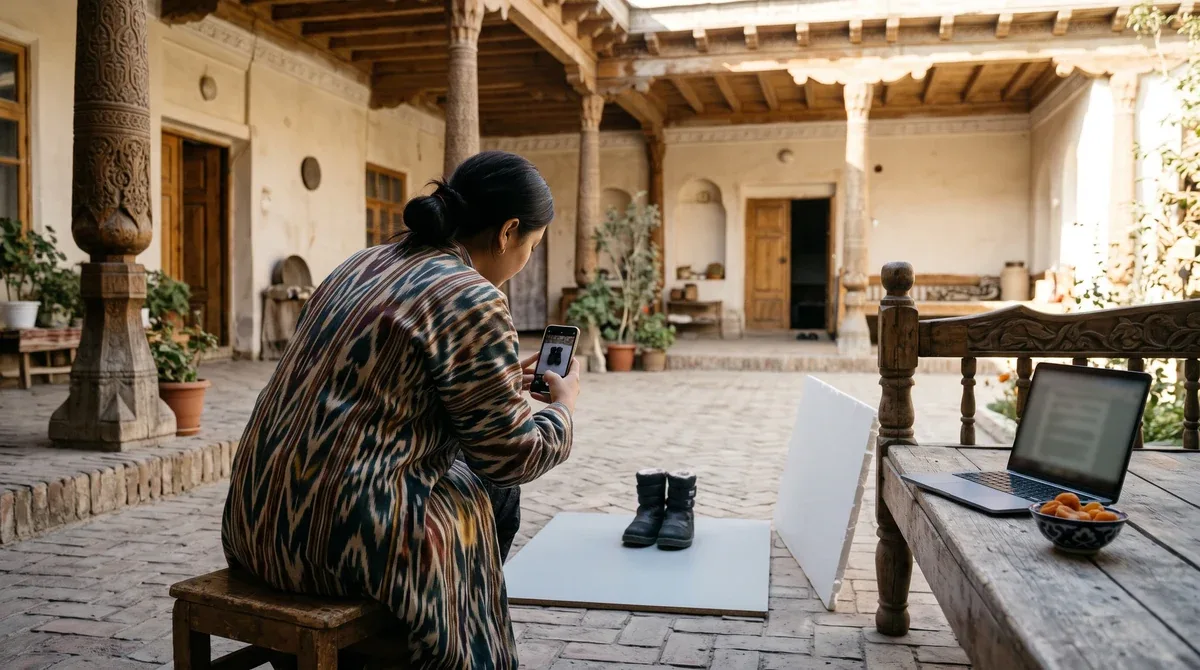
Say a hypothetical foreign brand sells children's boots. Its Russian listing is strong, while the Uzbek text came straight out of a translation tool. The product shows up for Russian queries and barely appears for Uzbek ones.
The seller does the following:
- Pulls the Uzbek queries out of the search query report.
- Reads buyer questions: people write "qishki etik" and "issiq etik", and nobody uses "izolyatsiyalangan".
- Rewrites the Uzbek title in shoppers' words and leaves the Russian one alone.
- Replaces technical terms in the description with plain explanations.
- After two or three weeks, compares impressions and clicks on Uzbek queries with the previous period, and checks Russian queries too.
Why step five matters: boot demand rises in winter anyway. The Russian copy was untouched, so its growth shows the seasonal effect. If Uzbek queries grow clearly faster, the new copy worked. That is why you change one language at a time.
Is your Uzbek copy also straight from a translation tool? Start with your 5–10 best-selling products.
Bilingual listing checklist
Keywords
- ☐ Uzbek and Russian queries collected separately.
- ☐ Everyday Russian loanwords ("xolodilnik", "krossovka") taken into account.
- ☐ A category glossary exists.
Copy
- ☐ Both titles follow the formula: product type + brand/model + key differentiator.
- ☐ Titles are not keyword lists.
- ☐ Numbers and facts match in both languages.
- ☐ Words with two meanings and traditional product names checked by a person.
- ☐ The Uzbek description uses plain words.
Images and script
- ☐ Image text is readable on a phone.
- ☐ "O'" and "g'" are spelled the same way across all listings.
Monitoring
- ☐ The query report is reviewed by language once a month.
- ☐ Changes in each language are tested separately.
The same approach applies to your website: multilingual website SEO and localisation.
The bottom line
A bilingual listing is not two copies of one text. It is two texts for two different shoppers, built on the same facts. Collect keywords for each language separately, use translation tools only for drafts, and have a person check words with two meanings. Put the shopper's everyday word in the title. Keep image text short. Start with your best sellers and track results in each language separately.
Frequently asked questions
Can I fill in the listing in Russian only?
Even where the Uzbek field is optional, leaving it empty costs you: shoppers who search in Uzbek may not find the product. Uzbekistan's consumer protection law also says product information is provided in the state language, with other languages allowed in addition.
Should I avoid machine translation altogether?
It is fine for a first draft. But a fluent Uzbek speaker should check every term. Words with two meanings, clothing and fabric names, size units and traditional Uzbek products are where most mistakes appear.
Is an English listing enough for Uzbekistan?
No. Uzum's search team describes its app as bilingual, with product names scored separately in Russian and Uzbek. Keep your brand and model name as they are, but write the product type and features in both local languages.
Do I need infographics in two languages?
Two languages on one image usually make the text too small to read on a phone. Keep numbers, icons and short words on the image and move the details into the listing text. Check the platform's current rules on image text in the seller account.
Entering Uzbek marketplaces with a ready catalogue?
Let's review your key listings in Uzbek and Russian and list which local search terms you are missing and which parts of the text need fixing first.